astroagent

Agent skills for PixInsight and Nebulis

Process your astro nights by conversation.

Ask your coding agent to process a target. It fetches the subs from Nebulis, runs PixInsight for you and stops at every stage with numbers and a preview. You make the calls; it does the clicks.

AI-assisted, not AI-processed. The language model never touches your image: it measures, proposes and waits for your go. Every operation runs in PixInsight, as a PixInsight process or a plug-in installed in it, and is saved as process icons you can reload.

~/Astro/Processing · claude
> Process Sh2-105 with astro-processing.
⏺Skill(astro-processing)
⎿Successfully loaded skill
✻ Thinking…
The user wants a full processing run. Stage 0: check Nebulis, then list the nights and pick the path from the filters.
⏺Bash(python3 ~/.claude/skills/nebulis/scripts/nebulis.py sessions Sh2-105)
⎿2026-09-05 filters D1 exposures 180 subs 120
2026-09-06 filters D1 exposures 180 subs 120
… +7 lines (ctrl+o to expand)
⏺

Nebulis 2.2.0 connected. Sh2-105 has 9 nights: 7 with D1, 2 with D2, 180 s, gain 200. That is the narrowband path. Process all 9 nights?

> yes
⏺Bash(python3 ~/.claude/skills/nebulis/scripts/nebulis.py analysis Sh2-105 2026-09-08 --bad-only)
⎿Sh2-105 2026-09-08 · measured 120/120 · kept 120/120
grades: fair 4, good 116 · flags: soft 4
typical frame: stars 812 · FWHM 2.6 px · elongation 1.08
… +4 lines (ctrl+o to expand)
⏺

Sub review: 962 of 1,000 subs kept; the night of 09-12 lost 31 subs to clouds. On 09-08, 4 subs are graded fair: soft stars, FWHM 3.4 px against 2.6. Keep or reject them?

> reject the 4 soft ones
⏺Bash(python3 ~/.claude/skills/nebulis/scripts/nebulis.py review --reject Sh2-105/2026-09-08/Light_Sh2-105_180.0s_D1_0041.fit …)
⎿4 frame(s) set to reject
⏺Bash(python3 ~/.claude/skills/nebulis/scripts/nebulis.py plan Sh2-105 --all)
⎿Sh2-105 · nights 2026-09-05 … 2026-09-27
lights 958 kept, 42 not kept · errors 0 · warnings 1
! warning: flat_other_night {"bundle": "Flat_D2_0.42s", "days": 3}
… +38 lines (ctrl+o to expand)
✻ Thinking…
One warning: D2 flats 3 days from the D2 nights. Allowed by rule R1 only if the rotator angle did not change. Ask, do not assume.
⏺

Done in Nebulis. Calibration plan: 0 errors, 1 warning. The D2 flats are 3 days from the D2 nights, same filter. Was the rotator angle unchanged during the campaign?

> unchanged, accept
⏺Bash(python3 ~/.claude/skills/nebulis/scripts/nebulis.py fetch Sh2-105 --all --dest ~/Astro/Processing/Sh2-105/data --allow-warnings)
⎿unpacked to ~/Astro/Processing/Sh2-105/data/Sh2-105_9-nights_wbpp
lights 958 (plan 958) · layout wbpp
⏺Bash(python3 ~/.claude/skills/astro-project/scripts/astro_project.py scan ~/Astro/Processing/Sh2-105 --object … --telescope … --site …)
⎿export Sh2-105_9-nights_wbpp · 958 light headers read · 9 night/filter groups · 958 subs kept · 47.9 h
D1 768 × 180 s gain 200 bin 1 7 night(s) 38.4 h
D2 190 × 180 s gain 200 bin 1 2 night(s) 9.5 h
rig.json OK
⏺pixinsight - run_wbpp (MCP)(input_dirs: ["…/data/Sh2-105_9-nights_wbpp"], output_dir: "wbpp", keywords: [{name: "NIGHT", mode: "pre"}], rejection: "Auto", local_normalization: true)
⎿WBPP started headless · run id 20261106-153204
⏺pixinsight - wbpp_status (MCP)(run_id: "20261106-153204")
⎿finished · exit code 0 · 41m 12s
master/masterLight_FILTER-D1_EXPTIME-180.xisf
master/masterLight_FILTER-D2_EXPTIME-180.xisf
⏺

WBPP finished: D1 master 38.4 h, D2 master 9.5 h, both 3-channel. Next, crop, BXT correction and plate solve: astrometry 0.08 px, pass. Then the gradient: proposal and preview below.

· · · gradient · channels · deconvolution · noise reduction · one approval each · · ·
⏺pixinsight - get_image_stats (MCP)(view_id: "HOO_s3")
⎿median 0.251 · clampFractions at 1: R 0.0014, G 0.0009, B 0.0011
⏺

Three stretch candidates side by side. s3 clips 0.14 % of pixels to white, above the 0.1 % gate: rejected. s1 or s2?

> s2, and show me HOO against the Foraxx palette
⏺pixinsight - export_image (MCP)(view_id: "Sh2_105_Foraxx", file_path: "final/Sh2-105_Foraxx_2026-11-06.xisf")
⎿Wrote output/final/Sh2-105_Foraxx_2026-11-06.xisf (32-bit)
⏺Bash(python3 ~/.claude/skills/astro-project/scripts/astro_project.py report ~/Astro/Processing/Sh2-105 && python3 ~/.claude/skills/astro-project/scripts/astro_project.py doc ~/Astro/Processing/Sh2-105)
⎿session report: output/doc/session-report.html
doc: output/doc/index.html
⏺pixinsight - run_pjsr (MCP)(code: <agentic/work/icons.js>)
⎿14 process instances serialized
⏺Bash(python3 ~/.claude/skills/astro-project/scripts/astro_project.py xpsm ~/Astro/Processing/Sh2-105 --pjsr-result agentic/work/icons-result.json)
⎿Sh2-105_Foraxx_2026-11-06.xpsm: 14 icon(s)
⏺

Foraxx kept. Exported final/Sh2-105_Foraxx_2026-11-06 as .xisf, .tif and .jpg, and wrote PROCESSING.md, the documentation page, the session report and 14 process icons. Store them with Sh2-105 in Nebulis?

> yes
⏺Bash(python3 ~/.claude/skills/nebulis/scripts/nebulis.py push Sh2-105 --bundle output/push --name Sh2-105_Foraxx_2026-11-06_processing.zip)
⎿stored Sh2-105_Foraxx_2026-11-06_processing.zip (41.3 MB) with Sh2-105
⏺

Stored in Nebulis under Project archives. The final image is open in PixInsight; every other view of this session is closed.

>
? for shortcutsastro-processing · astro-project · nebulis

Example session, shortened. Numbers are illustrative.

Why use it

Less clicking, more deciding

Hours back

Fetching, stacking, cropping, plate solving and logging run on their own while you look at results.

You stay in charge

Each stage ends with a proposal and a preview. Nothing is applied until you say yes or give another value.

Problems caught early

Nine measured quality gates, from astrometry to clipped pixels. A failed gate stops the stage and says why.

Learn as you go

Every proposal comes with its measurement and its reason, so you see why a value was chosen, not just the result.

Raw data stays safe

Inputs are read-only, a checkpoint precedes every destructive step, and one command undoes it.

Documented for you

A documentation page, a session report of every decision, the PixInsight project description and process icons with the values actually applied. AstroBin fields and a Reddit post for r/astrophotography on request.

How it works

One loop, twelve stages

Every stage follows the same three beats, from sub review to the final export.

  1. 1

    You ask

    In plain words: “process Sh2-105”, “continue”, “denoise 0.4”.

  2. 2

    It measures and proposes

    Measured values, options with their pros and cons, a recommendation with its reason, and a preview.

  3. 3

    You decide

    Yes, another value, or reject. Then the next stage.

Example: stage 9, stretch candidates

MeasuredStarless Ha, OIII, SII. Background MAD 0.0011 / 0.0018 / 0.0016.

Optionss1, median 0.12: cleanest background, but OIII stays faint. s2, 0.18: OIII shows and noise stays low. s3, 0.25: most faint detail, but the core clips.

Recommendations2. The same median per channel balances Ha and OIII before the palette, and it passes G7.

s1s2s3

Gate G7: s3 clips 0.14 % of pixels to white, above 0.1 %, rejected.

> s1 or s2?

Illustrative values.

The twelve stages

  1. Library

    1. 01Target and nights
    2. 02Sub review
    3. 03Calibration plan
    4. 04Fetch
  2. Stacking

    1. 05WBPP stacking
    2. 06Masters
  3. Processing

    1. 07Gradient
    2. 08Linear
    3. 09Stars out, stretch
    4. 10Palette and finishing
  4. Delivery

    1. 11Export
    2. 12Log and push

Talk to it naturally

  • Pick up later

    Say “continue Sh2-105”: the agent reads its session file and resumes at the first stage not done.

  • Let a stage run alone

    Say “run stacking without asking”: that stage no longer waits, for this session only.

  • Nebulis on its own

    “Which subs were bad last night on NGC 6888?” or “fetch Sh2-112 for stacking” use only the nebulis skill.

  • Change a value

    Answer a proposal with another value (“denoise 0.4”); the agent keeps it for the rest of the session and logs it.

Built for your data

  • Dual-band, done right

    D1 and D2 masters split into Ha, OIII and SII; the two OIII combined with noise weights; HOO, SHO and a Foraxx-style dynamic palette.

  • Broadband with real colour

    Unfiltered data goes through SPFC, MGC when MARS covers the field, and SPCC with your camera's curves.

  • Your calibration rules

    Flats valid for a campaign while the train and rotator angle stay put, D1 never with D2, a reusable dark library, bias for flats.

  • Your project, described

    rig.json is read from the FITS headers and your Nebulis telescope and site: optics, camera, filters, every night. You are asked only for what none of them holds.

One prompt, on the computer that runs PixInsight

Install

Paste this prompt into Claude Code, or any coding agent, on the computer that runs PixInsight (macOS, Windows or Linux). It installs everything and asks you only for your Nebulis address.

>_ prompt
Install astroagent (https://github.com/jjmartres/astroagent) on this computer, the one that runs PixInsight.

1. PixInsight connector: `npm install -g pixinsight-connector@2.5.2`, then `claude mcp add -s user pixinsight -- pixinsight-connector`, and check it with `pixinsight-connector doctor`.
2. Skills: `claude plugin marketplace add https://github.com/jjmartres/astroagent.git#latest`, then `claude plugin install astroagent@astroagent`. If you are not Claude Code, clone the repository at the `latest` tag and run its `install.sh` instead.
3. Nebulis: ask me for my server address, as I open it in a browser. Write `~/.config/astroagent/env` with `ASTROAGENT_NEBULIS_URL=<that address>` and `ASTROAGENT_NEBULIS_API_KEY=paste-your-key-here`, readable by me only (`chmod 600` on macOS and Linux). Do not ask for the key in this chat: tell me to paste it into that file myself, from Nebulis, Settings → Account → API keys → New key (admin, to record reviews and upload results).
4. Once I have pasted the key, run the `status` command of the nebulis skill's `nebulis.py`, tell me what failed if anything, and remind me to restart the agent.

Your API key never goes through the chat: you paste it into the file yourself.

Prefer to install by hand?
  1. 1

    The PixInsight connector

    npm install -g pixinsight-connector@2.5.2
    claude mcp add -s user pixinsight -- pixinsight-connector
    pixinsight-connector doctor
  2. 2

    The skills

    claude plugin marketplace add https://github.com/jjmartres/astroagent.git#latest
    claude plugin install astroagent@astroagent

    Other agents, or without plugins:

    git clone --branch latest https://github.com/jjmartres/astroagent ~/Repositories/astroagent
    ~/Repositories/astroagent/install.sh
  3. 3

    Your Nebulis key

    Set ASTROAGENT_NEBULIS_URL (your server) and ASTROAGENT_NEBULIS_API_KEY (Nebulis, Settings → Account → API keys → New key; admin to record reviews and upload results). Pick one way; environment variables win over the file.

    export ASTROAGENT_NEBULIS_URL=http://your-server:3001
    export ASTROAGENT_NEBULIS_API_KEY=neb-...
    set -gx ASTROAGENT_NEBULIS_URL http://your-server:3001
    set -gx ASTROAGENT_NEBULIS_API_KEY neb-...
    mkdir -p ~/.config/astroagent
    printf '%s\n' 'ASTROAGENT_NEBULIS_URL=http://your-server:3001' 'ASTROAGENT_NEBULIS_API_KEY=neb-...' > ~/.config/astroagent/env
    chmod 600 ~/.config/astroagent/env
  4. 4

    Optional: Nebulis inside PixInsight

    astroagent does not need it. The Nebulis Connector script brings your library into PixInsight: browse objects, download a night or matching calibration, store projects with the object.

    1. In Nebulis, Settings → Integrations: turn on PixInsight integration and copy the PixInsight repository URL, http://<your-server>:<port>/plugins/pixinsight/ (keep the trailing slash).
    2. In PixInsight, Edit → Global Preferences → Security: tick Allow unsigned update repositories and Allow execution of unsigned scripts; for an http:// URL, also Allow insecure update repositories (on your own network only).
    3. Resources → Updates → Manage Repositories → Add, paste the URL, OK. Then Check for Updates, apply and restart PixInsight.
    4. Script → Nebulis → Nebulis Connector → Settings: enter the server address and your API key, then test the connection.

Requirements Version 0.6.0

  • PixInsight 1.9.5 or later, with BlurXTerminator, NoiseXTerminator and StarXTerminator
  • Node.js 22 or later and Python 3.9 or later
  • A Nebulis server and an API key (admin to record reviews and upload results)
  • Any coding agent that reads Agent Skills (Claude Code, OpenCode…)

Real runs

Four campaigns processed with astroagent

Two from my own backyard in the French Alps, one broadband and one dual-band, and two from Telescope.live remote data. Every stage was measured, proposed, approved and run in PixInsight; the figures come from the processing logs. Tokens count everything the agent read and wrote over the session, about 99 % of it re-read from the prompt cache.
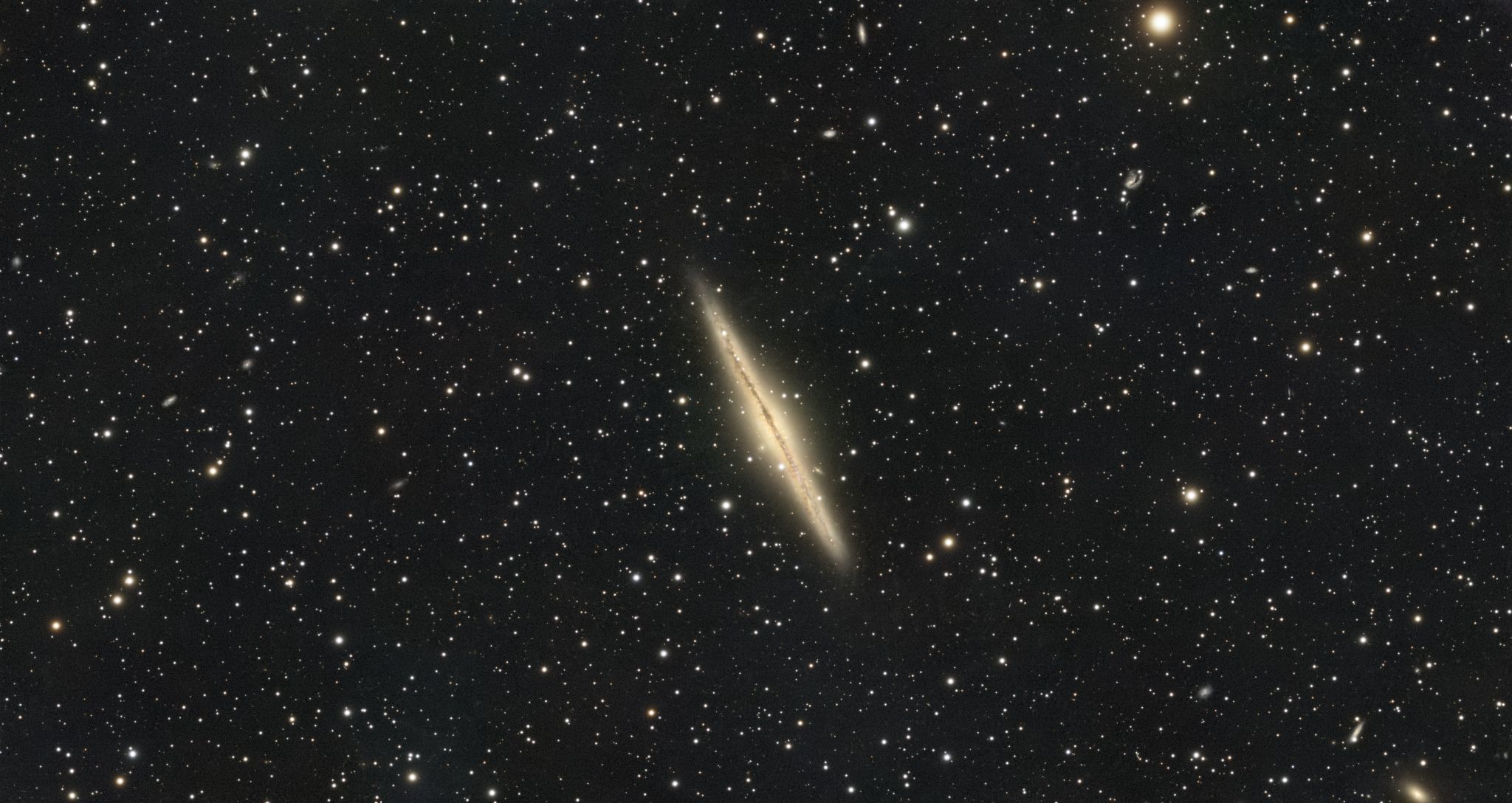
NGC 891 · Silver Sliver Galaxy

NGC 891 · Silver Sliver Galaxy

  • RGB, broadband
  • 276 × 150 s
  • 11 h 30 min
  • 4 nights
Telescope
Askar 91F · ZWO ASI585MC Air
Site
French Alps, backyard
Data
My own rig
Tokens
286 M, 355 k generated
  • WBPP had switched the 303-frame stack to FastIntegration on its own: the agent read the log and stacked again with full rejection and weights.
  • A centre-bright flat residual and column bands, found by radial and column checks, removed on the linear starless image.

Full size ↗

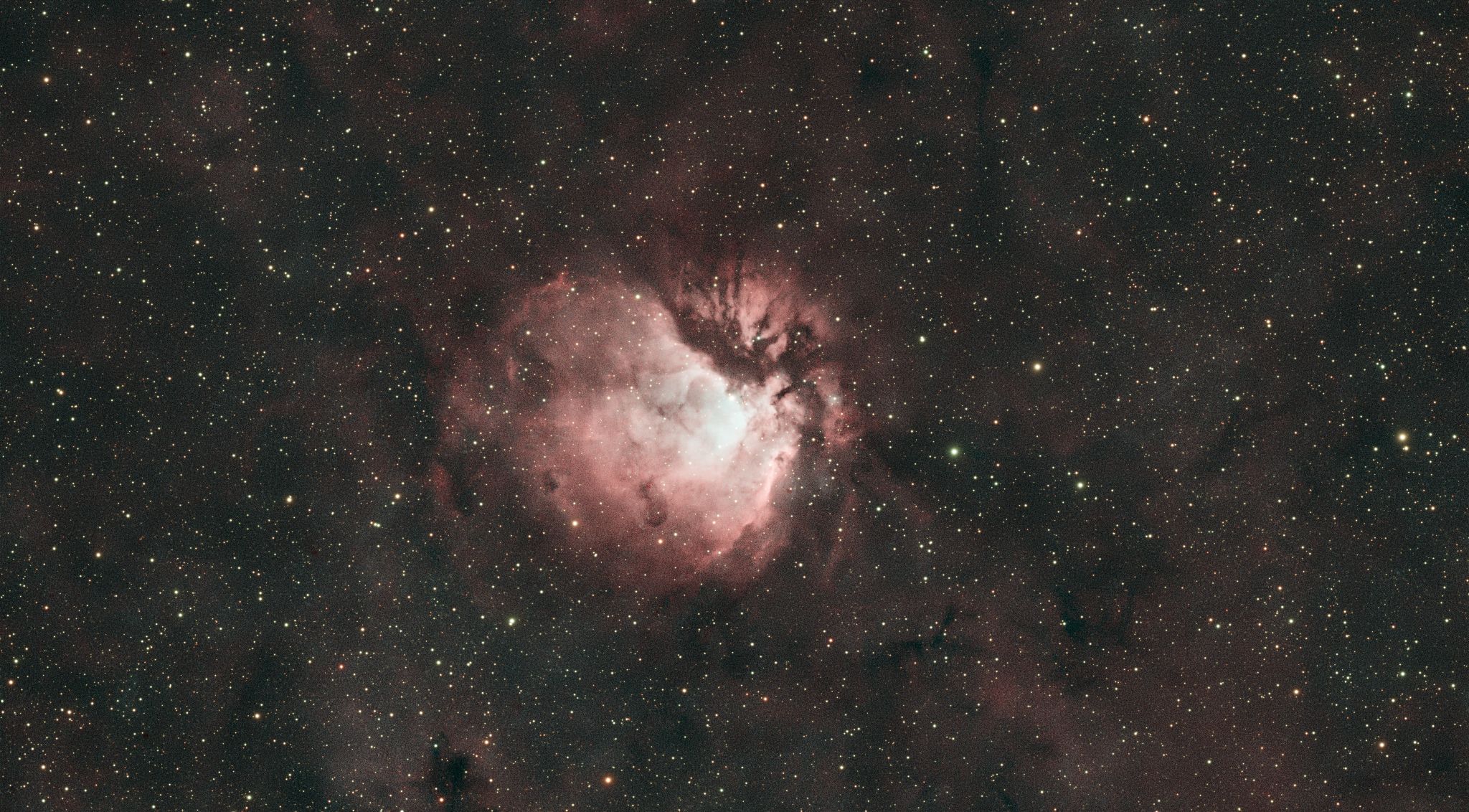
Sh2-112 · HOO

Sh2-112 · HOO

  • Askar D1 and D2, dual-band
  • 236 × 180 s
  • 11 h 48 min
  • 4 nights
Telescope
Askar 91F · ZWO ASI585MC Air
Site
French Alps, backyard
Data
My own rig
Tokens
124 M, 179 k generated
  • 79 subs left out before stacking, a whole hazy night among them (signal-to-noise 3.8 × lower than on clear nights).
  • HOO, SHO and a Foraxx-style palette compared: SII at 14 % of Ha turned SHO blue-grey, so HOO was kept.

Full size ↗

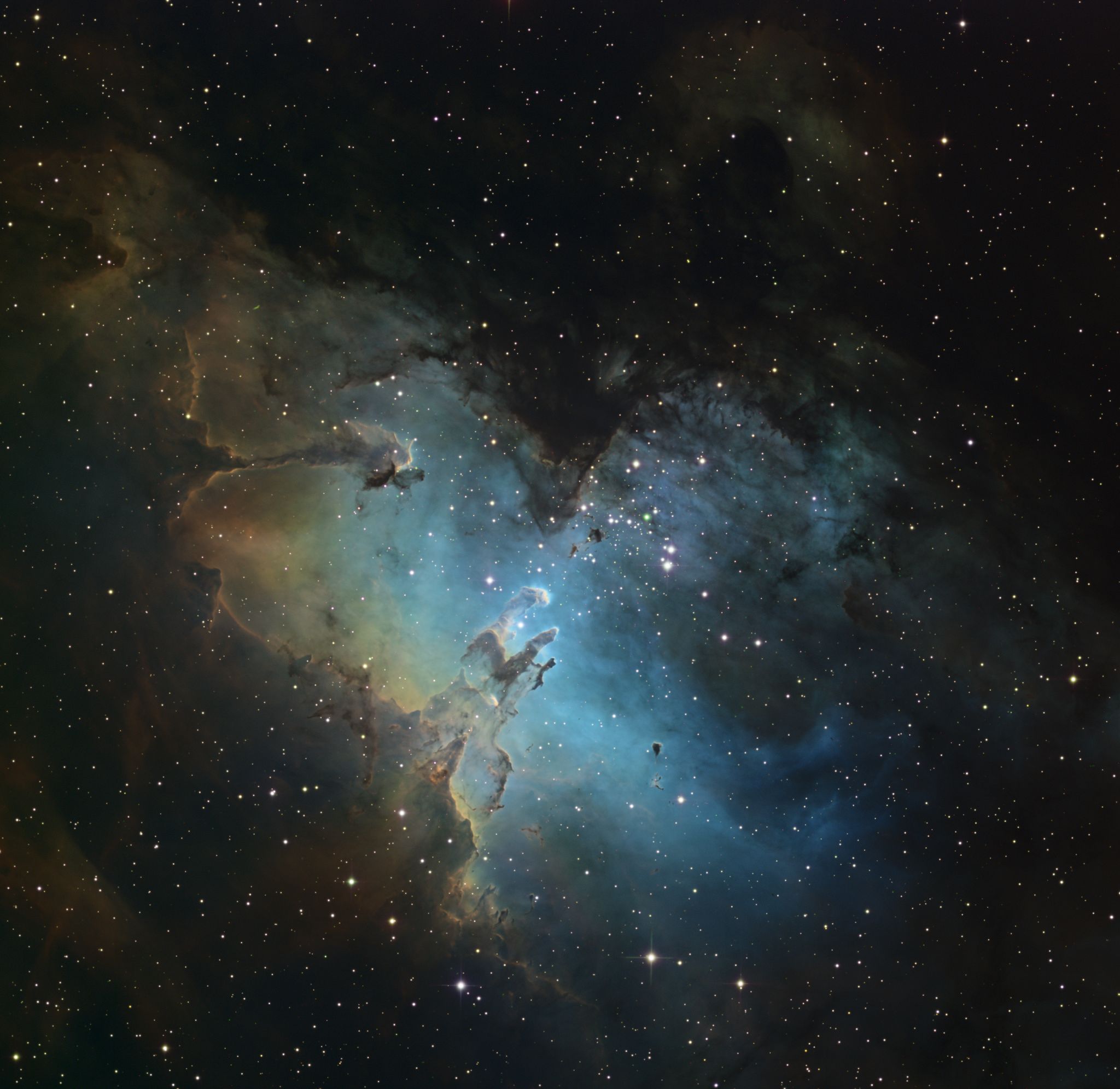
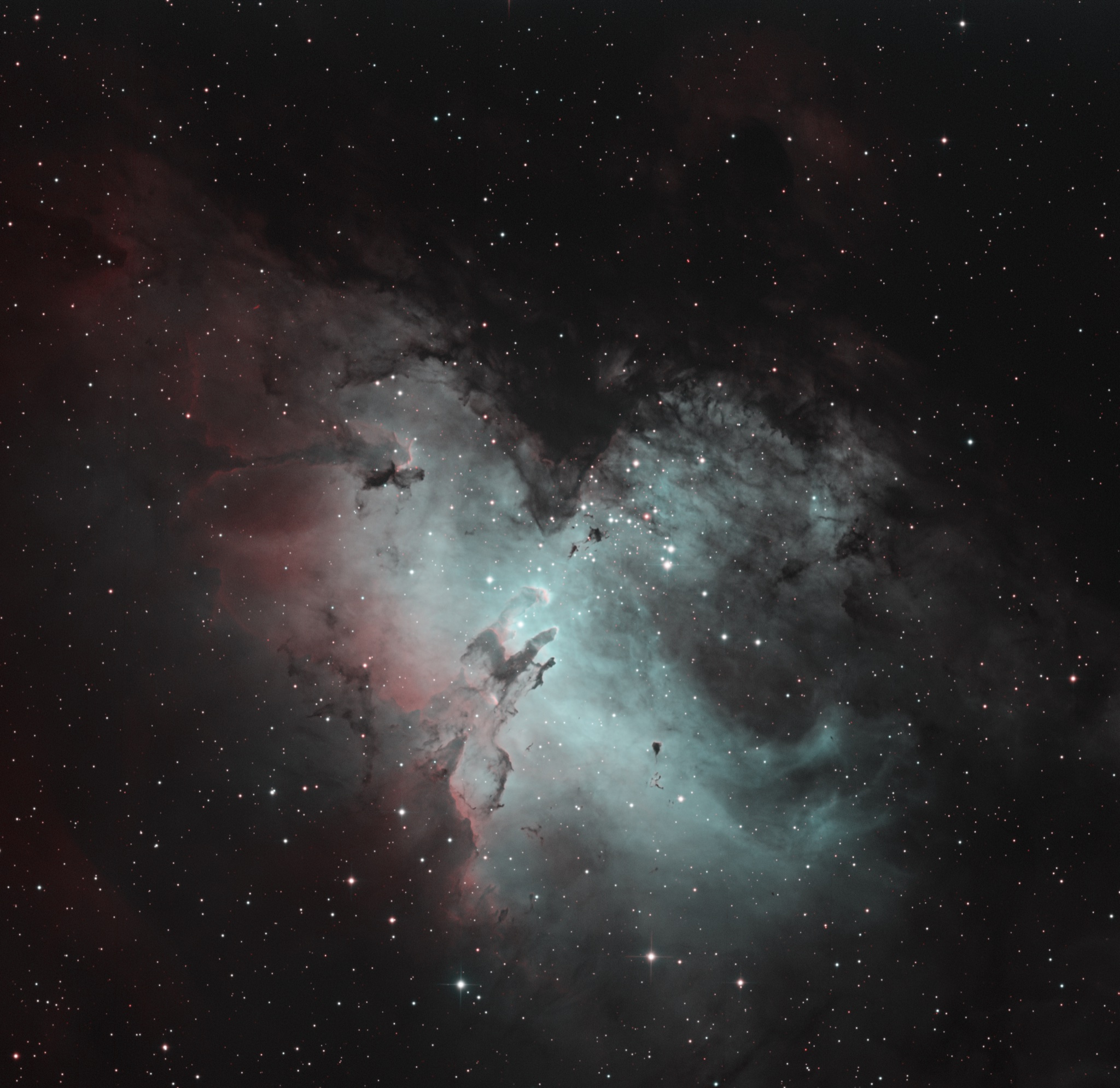
M16 · Eagle NebulaTelescope.live data

M16 · Eagle Nebula

  • SHO and HOO, narrowband mono
  • 145 × 600 s
  • 24 h 10 min
  • 37 nights, 2020–2022
Telescope
Planewave CDK24 · FLI PL9000 (Telescope.live CHI-1)
Site
El Sauce Observatory, Chile
Data
Telescope.live, pre-calibrated by the provider
Tokens
63 M, 196 k generated
  • Lights already calibrated by Telescope.live.
  • Three years of sky backgrounds made the sky level multi-modal: rejection was relaxed on that one measure, the others kept at z = 3, and 145 of 164 subs stacked.
  • The default gradient model followed the nebula and took 2–3 % of the Pillars’ signal: a plane fit on OIII and SII instead, Ha left untouched.

Full size ↗HOO version ↗

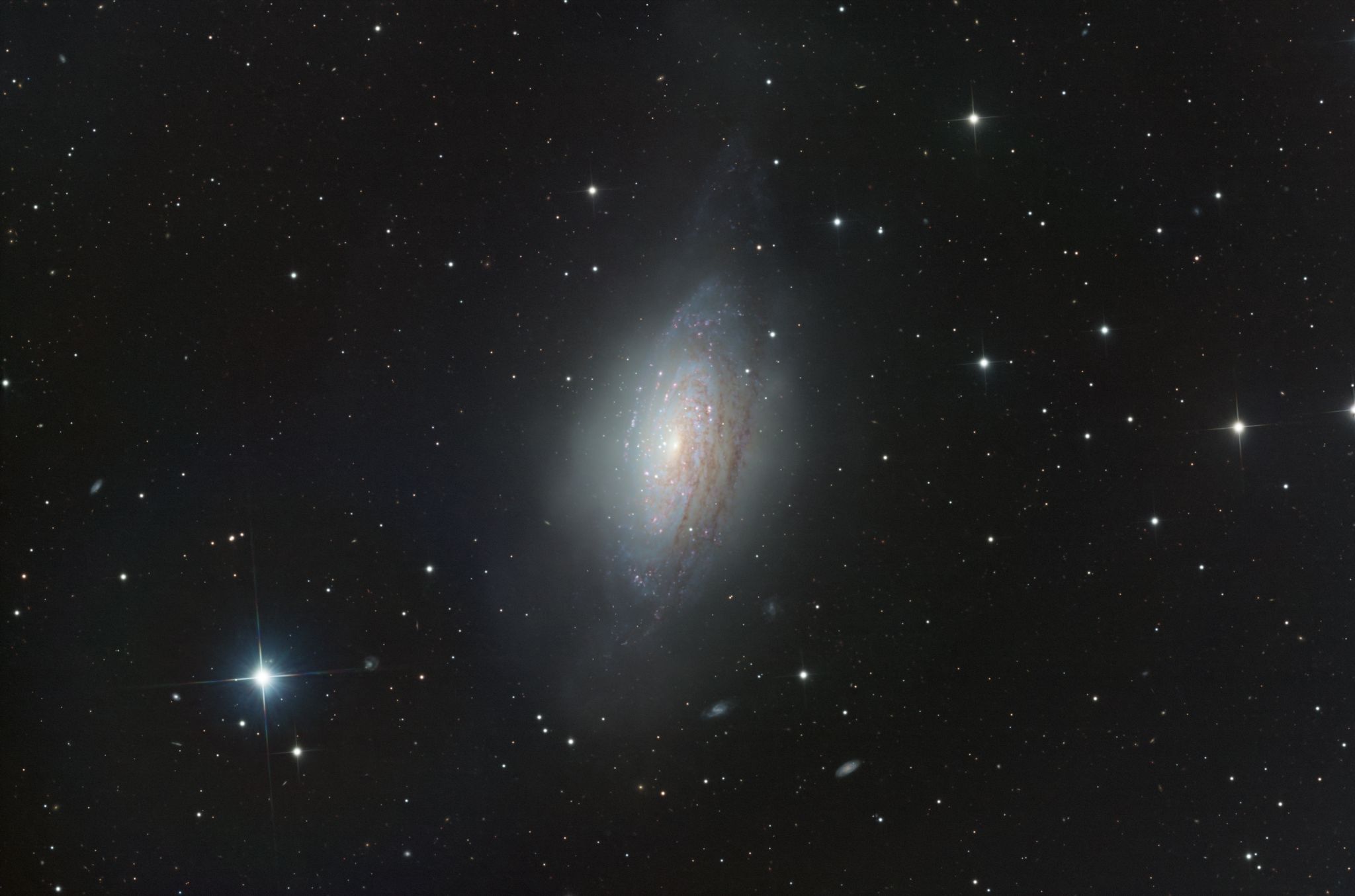
NGC 3521 · Bubble GalaxyTelescope.live data

NGC 3521 · Bubble Galaxy

  • LRGB, broadband mono
  • 187 × 300 s
  • 15 h 35 min
  • 15 nights, 2024–2025
Telescope
Planewave CDK24 · QHY 600M (Telescope.live CHI‑1‑CMOS)
Site
El Sauce Observatory, Chile
Data
Telescope.live, pre-calibrated by the provider
Tokens
71 M, 142 k generated
  • Lights already calibrated by Telescope.live.
  • The local Gaia catalogue held too few stars with spectra in this field for spectrophotometric colour: the agent measured the gap (8 % of the expected sources) and calibrated colour on the galaxy itself.
  • Supernova SN 2024aecx shines in the frames of December 2024 and January 2025: it was kept in the stack.

Full size ↗